Web sources

Point Chatvia at a URL and it finds the pages of the site, reads them, and indexes them. Web sources turn your team's public knowledge (docs sites, help centers, marketing pages) into something your agent can answer from.
Chatvia uses Firecrawl to find and fetch the pages. If the admin of your Chatvia server has not set up Firecrawl (in Knowledge settings, under Web scraper), the Website source is hidden, unless the agent already has websites.
Adding a URL
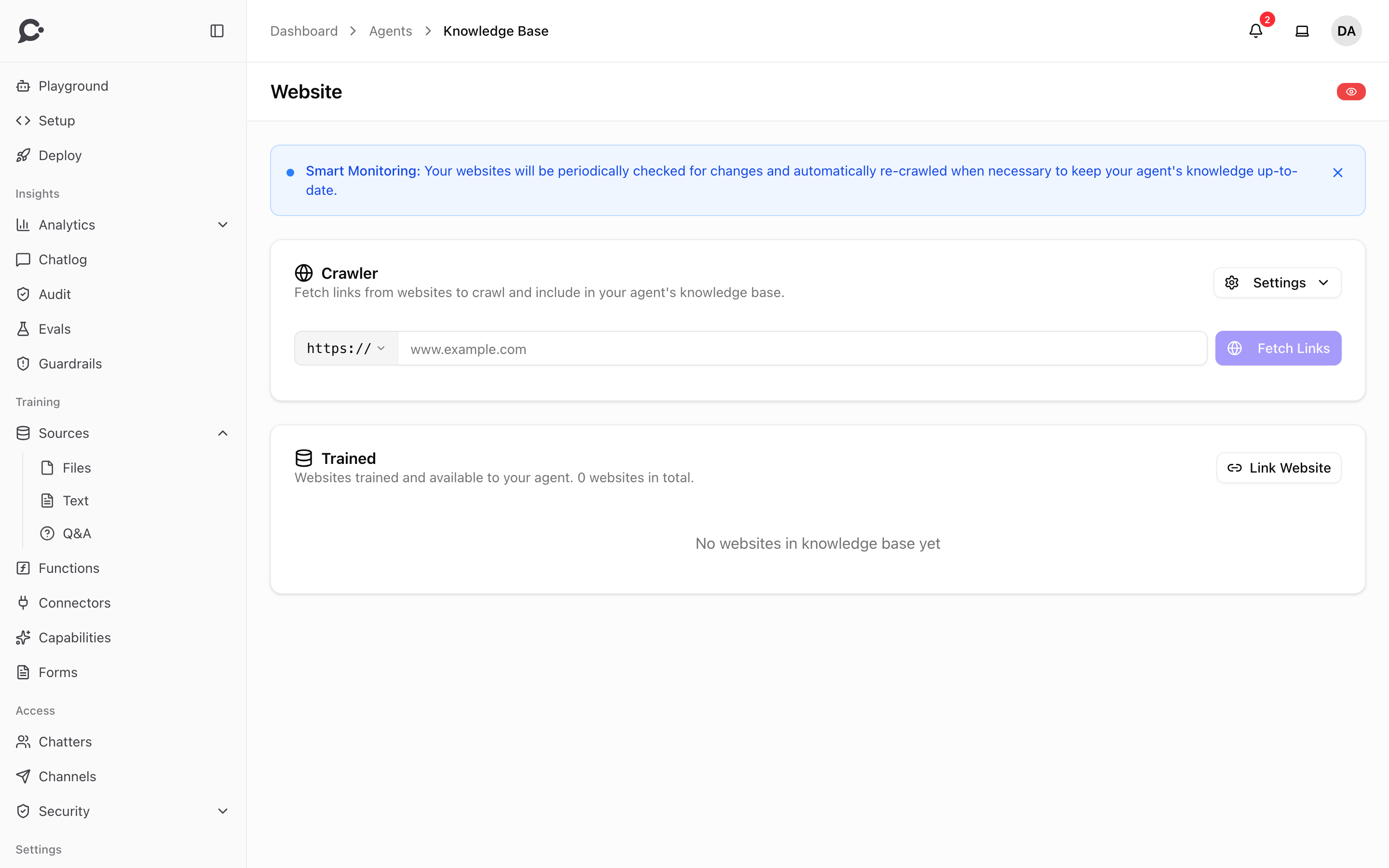
In the agent's Sources → Website page, paste the URL and click Fetch Links.
Chatvia then:
- Finds the pages of the site, from its sitemap and its links (subdomains such as
wwwincluded). - Lists them as discovered links under one website source. The website shows as Crawled.
Next, select the website and click Train. Chatvia fetches the main content of each page (skipping nav, footer, ads) and indexes each page as a separate link. The status moves to Training, then Trained.
Controlling the crawl
Before you fetch the links, open Crawl Settings to narrow the crawl:
- Include only paths: for example
blog/*, docs/*. Leave empty to include all paths. - Exclude paths: paths to skip, with the same
*wildcards.
After the crawl, open the website source to see:
- A list of all discovered links with their status. You can search them, and delete the links you don't want.
- A Retrain action to update the website. Tick Re-crawl and train new links to also find pages added since the last crawl.
Exclude noisy pages (login screens, archive indexes, terms of service). They pollute retrieval. Include only the pages a customer's question could plausibly map to.
Limits
- One crawl finds up to 1,000 pages of a website.
- Firecrawl fetches the pages from its own servers. Your Chatvia server only opens the URL you paste once, to follow a redirect.
- Pages behind authentication are not crawled. For private content, use a file source instead.
Keeping a website up to date
A website can refresh on its own. Set Auto-refresh on the website to Refresh daily, Refresh weekly or Refresh monthly. Chatvia then crawls the site again and learns its new and changed pages. A page that has not changed is skipped.
You can also refresh by hand. A teammate clicks Retrain on the website source whenever your team publishes changes. To retrain a single page, use Retrain this link in the website's link list. Pages that have not changed are skipped here too.
Links
Open View all links on a website to see every link with its status. Your team can search the links, retrain one, or delete the ones it doesn't want. A website keeps at least one link.
Web sources via API
Your team can add and delete website sources programmatically. The API crawls the website, then it waits as Crawled until a teammate clicks Train in the dashboard. See Sources in the API reference.