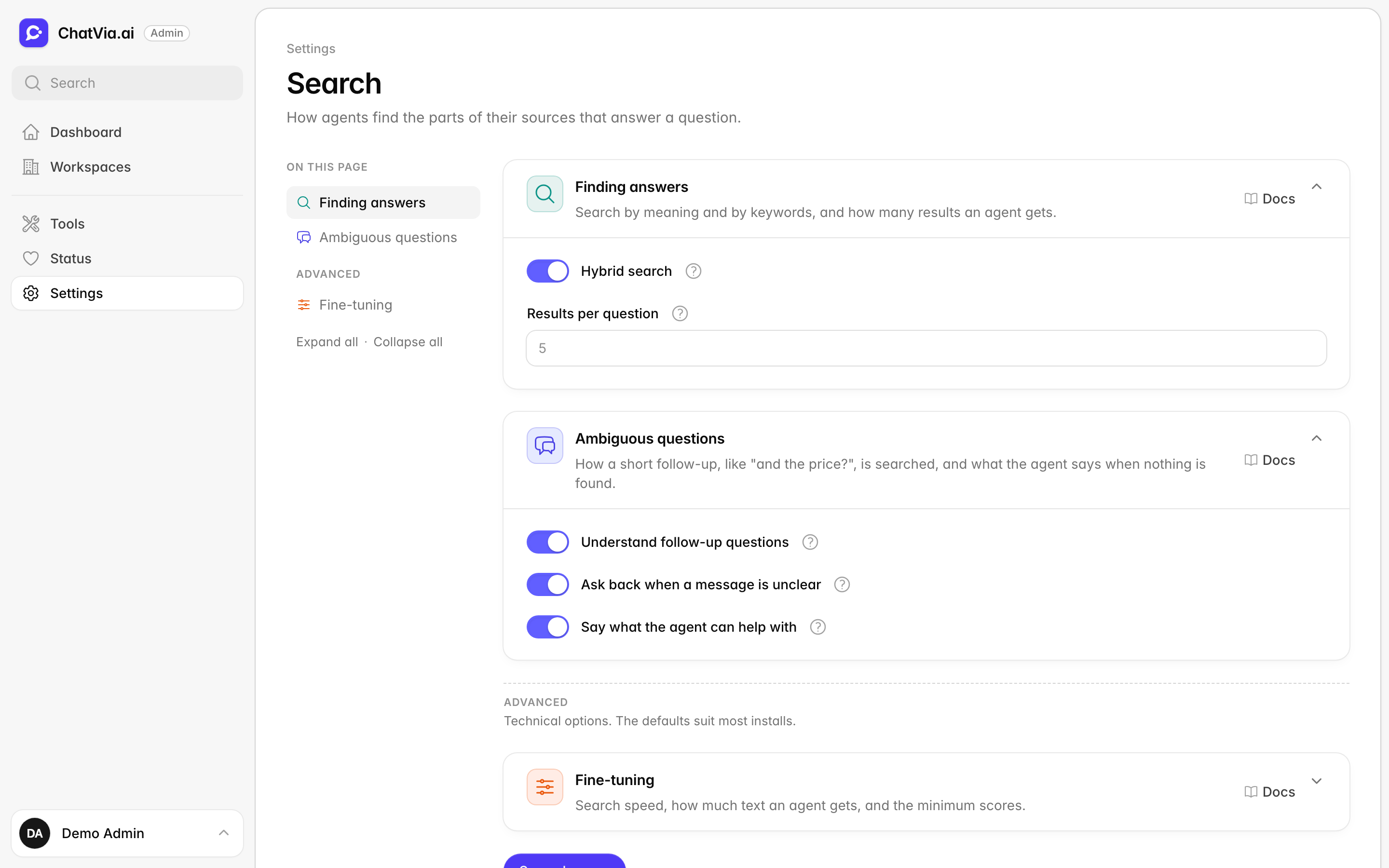
Search settings

Every time a chatter sends a message, the agent first searches its sources (your files, web pages and texts) for the few parts that answer it. Only then does it write the reply, from those parts. Good search is what keeps answers right: if search brings back the wrong part, the agent answers from the wrong part. This page decides how that search works. Open it in Settings → Search.
The options apply to every agent on the install. The defaults are tested values that suit most agents, so you can leave this page alone. Come here when agents often miss answers that are in their sources, or answer from parts that don't fit. For the whole process, step by step, see How search works.
Nothing on this page needs a source to be trained again. A change applies to the next message.
Knowledge search
Most agents answer from their sources. Some don't need any: an agent that only looks up payments or orders through a connector gets everything it needs from its tools. For such an agent, searching is extra work on every message, and the rules for answering from sources can make it say "I don't have that information" when a tool could answer. This card decides whether agents search their sources at all, and whether each agent may turn search off.
| Option | What it does | Default |
|---|---|---|
| Search knowledge | Agents search their sources for each message and answer from what they find. Off: no agent searches, and agents answer with their tools and instructions only. | On |
| Let workspaces turn it off per agent | Shows a Search knowledge switch at the top of each agent's Sources page, so a workspace can turn search off for one agent and keep it for the others. Off: every agent searches, and the agents' own switches are kept but not used. | On |
When an agent doesn't search, it also skips the steps that only serve the search: the follow-up question call, saved answers (Q&A sources) and the "say what the agent can help with" note. In voice calls it gets no search tool. Its sources stay where they are, so turning search on again works right away, with no new training.
When to change it. Leave both on. Turn Search knowledge off only if no agent on your install uses sources. Turn Let workspaces turn it off per agent off if you want every agent to always search.
Finding answers
Your agent doesn't know your business by itself. When a visitor asks a question, the agent first looks through the sources you gave it for the few passages that answer it, then writes the reply from those. This card controls that look-up: how it searches, and how many passages the agent gets. For example, a visitor asks "Can I return shoes I've worn?". Search finds the paragraphs of your returns policy about worn items, and the agent answers from them.
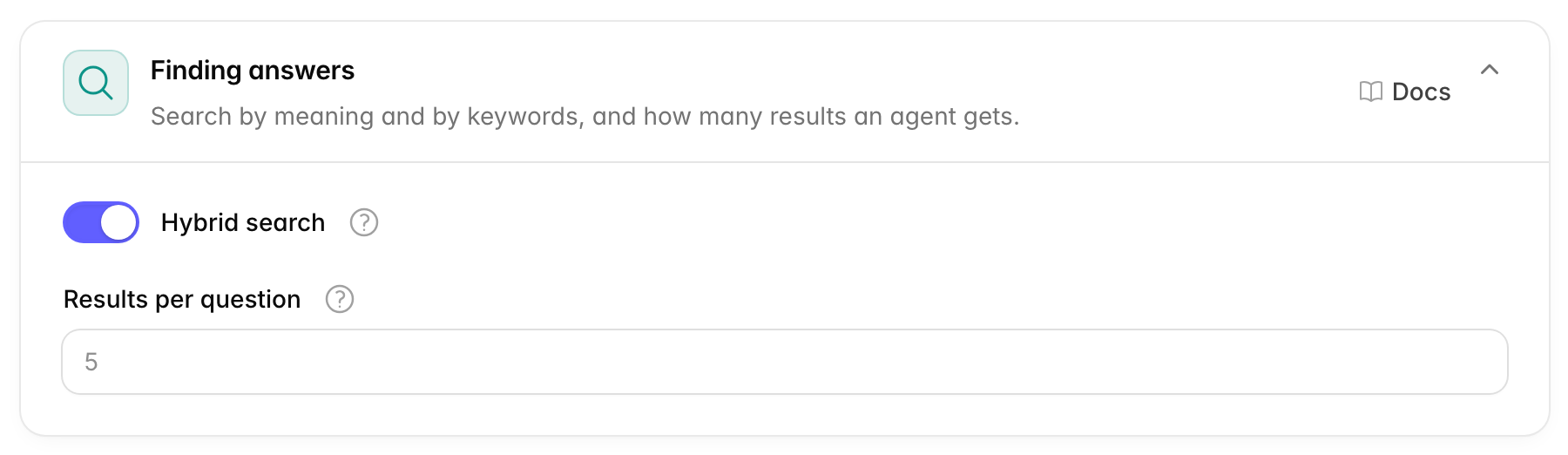
Chatvia can search in two ways. Search by meaning finds passages about the same thing, even in other words: "Can I get my money back?" finds your "Refund policy". It works with embeddings, lists of numbers that describe what a text is about. Search by keywords (keyword search) finds passages with the same words, which is better for exact things like an order code, a product name or an error number such as "ERR-4021". Doing both at once is called hybrid search.
| Option | What it does | Default |
|---|---|---|
| Hybrid search | Finds answers by meaning and by exact words. It helps with names, codes and rare words. Off finds by meaning only. It adds almost no time to a reply, so leave it on unless you have a reason. | On |
| Results per question | How many parts of your sources the agent reads to answer one question. From 1 to 20. | 5 |
More results give the model more to work with, but also more to get wrong, and every reply costs more. 5 suits most agents. See Hybrid search and Keep the best few.
When to change it. Keep Hybrid search on. Raise Results per question if answers often need facts from several places, such as a question that compares two products. Lower it if agents mix in details that don't belong.
Ambiguous questions
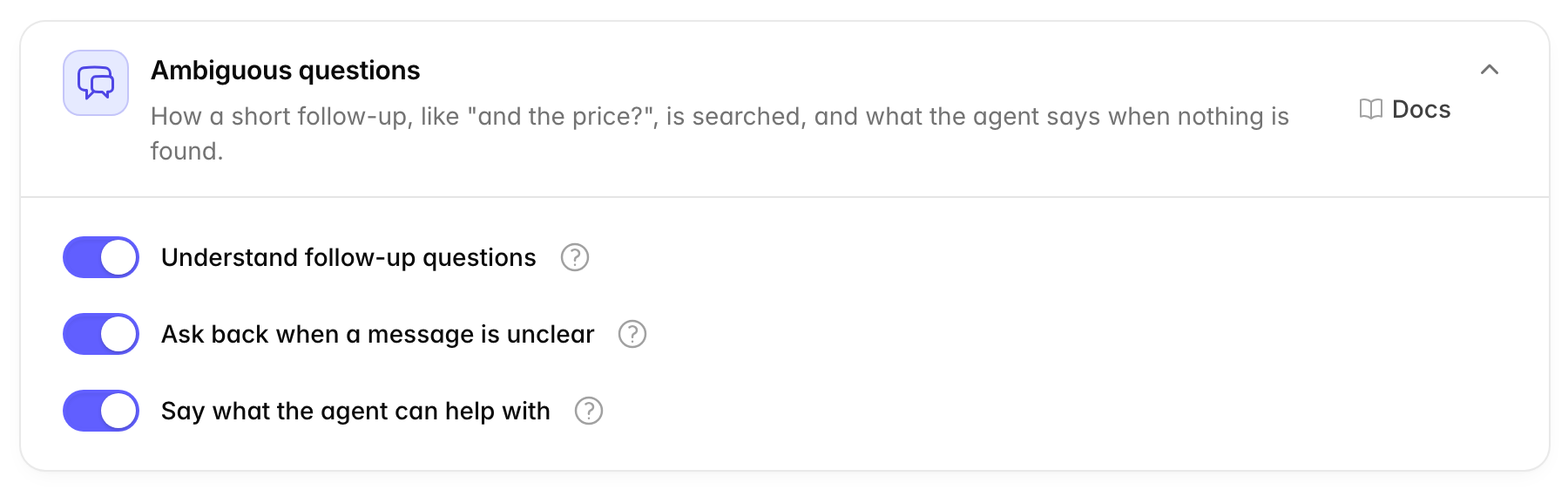
People don't always ask full questions. After asking "How much is the Basic plan?", a visitor may just type "and the Pro one?". On its own, that message tells search nothing. This card decides how Chatvia handles such short follow-ups, unclear messages, and questions your sources don't cover.
| Option | What it does | Default |
|---|---|---|
| Understand follow-up questions | Turns a short follow-up like "and the price?" into a full question, so the search finds the right answer. It uses one extra AI call before each reply. | On |
| Ask back when a message is unclear | When a message is too vague to search, such as a bare number or one unclear word, and nothing is found, the agent asks what the visitor means instead of saying it has no answer. | Off |
| Say what the agent can help with | When nothing in the sources matches, the agent tells the visitor what topics it can help with. It names them from the agent's sources. | Off |
With Understand follow-up questions on, "and the Pro one?" is searched as "How much is the Pro plan?". The rewritten question is only used for the search. The agent still answers what the visitor wrote.
Ask back when a message is unclear needs Understand follow-up questions, because the same AI call spots the unclear message.
The follow-up call runs before every reply, so it should use a small, fast model. Pick it in AI models → Models for app tasks, under Follow-up questions. See Follow-up questions.
When to change it. Keep Understand follow-up questions on. Turn on Ask back when a message is unclear if visitors often send one word or a bare order number. Turn on Say what the agent can help with so visitors who ask about something else learn what they can ask instead of hitting a dead end.
Fine-tuning
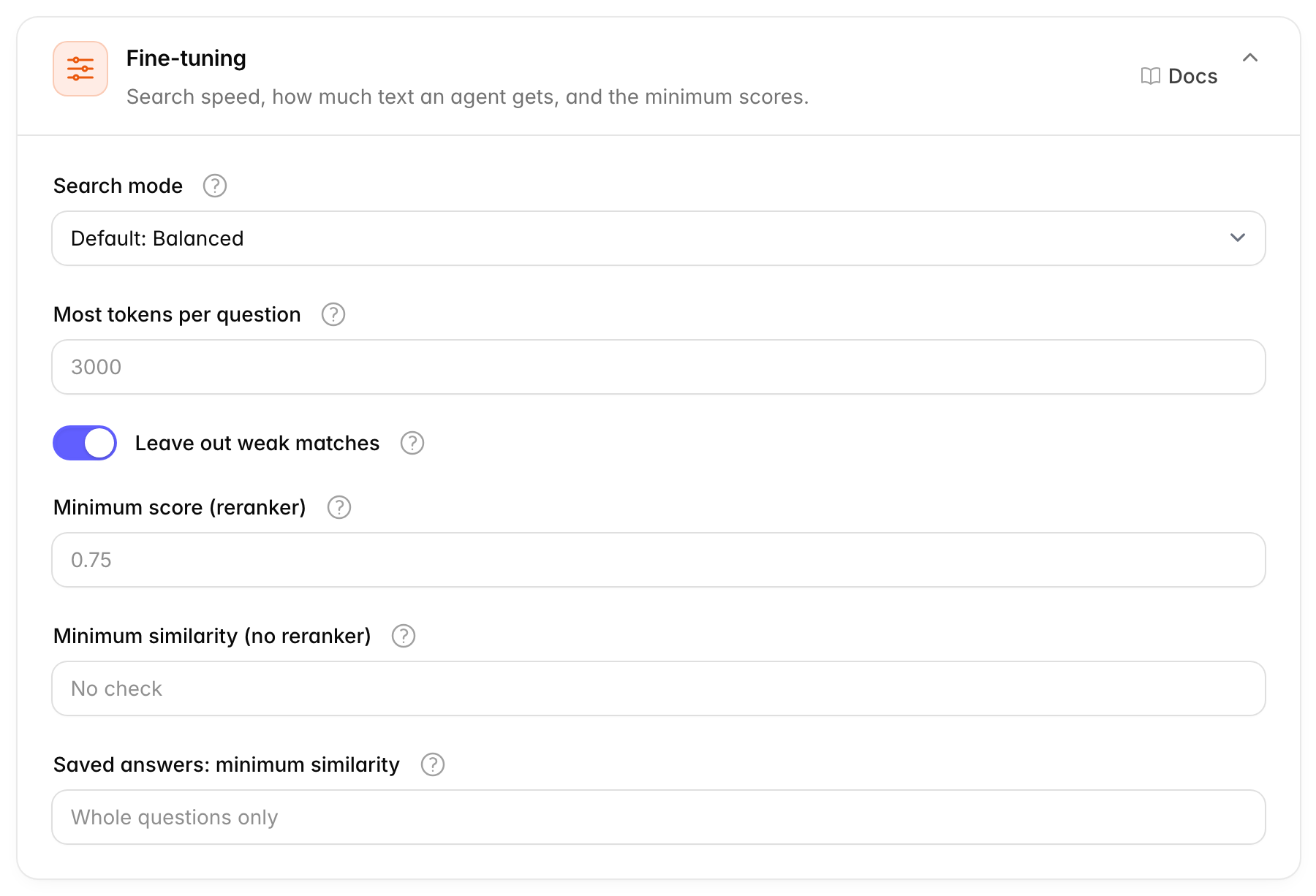
This card holds the technical knobs of search: how fast it runs on very large agents, how much text the agent may get, and how good a match must be before the agent uses it. That last one matters most. Search always returns something, even for "hello" or a question your sources don't cover. These minimum scores make Chatvia drop the results that barely fit, so the agent doesn't answer from the wrong part. The card is under Advanced. The defaults are tested values. Change them only if you have tested others.
Some words used in this card:
- A score is a number from 0 to 1 that says how well a result matches the question. 1 is a perfect match. A minimum score works like a pass mark: results below it are left out. See similarity score.
- A reranker is an AI model that reads the question and each result and scores how well the result answers it. It is the most precise way to score. Without one, Chatvia compares how close the meanings are, which is rougher. See reranker.
- A token is the small piece of text AI models read, about four letters. See token.
- A chunk is one small part of a source. Search finds chunks, not whole documents. See chunk.
| Option | What it does | Default |
|---|---|---|
| Search mode | Trades speed for accuracy on big agents, with more than 10,000 chunks. Smaller ones are always searched in full. Faster, Balanced or More accurate. | Balanced |
| Most tokens per question | The most text the results may add to one question, in tokens. A token is about four letters. The best result always goes in. 0 means no limit. At most 32,000. | 3,000 |
| Leave out weak matches | Skips results that barely match the question, so a message like "hello" gets none. Off always sends the top results. | On |
| Minimum score (reranker) | How well a result must match to be used, from 0 to 1, when a reranker scores the results. Higher keeps fewer but better results. Empty uses the value set for the reranker model in use, shown in the field. | The reranker model's own value |
| Minimum similarity (no reranker) | Used when no reranker is set up. How close in meaning a result must be, from 0 to 1. Empty uses the value tested for your embedding model. | 0.35 with Qwen3, no check with other embedding models |
| Saved answers: minimum similarity | How close a message must be to a saved Q&A question to get its saved answer, from 0 to 1. Higher is safer, since the answer is sent word for word. | 0.65 with Qwen3. With other embedding models, only the whole question matches. |
Saved answers are the Q&A pairs people add to an agent: a question with a fixed answer. When a visitor's message is close enough to a saved question, the agent sends that answer as it is, without searching. That is why a higher minimum is safer: a wrong match sends a wrong answer word for word.
Some gotchas:
- Minimum score (reranker) is greyed out while no reranker is set up. Pick a reranker in AI models → Reranker.
- Minimum score (reranker) and Minimum similarity (no reranker) only count while Leave out weak matches is on.
- Without a reranker, and with an embedding model other than Qwen3, no weak match is left out unless you set Minimum similarity (no reranker) yourself. Chatvia has only tested a value for Qwen3.
When to change it. Raise a minimum score if agents answer from parts that don't fit. Lower it if agents say they don't know when the answer is in their sources. Change it in small steps, such as 0.05, and test with real questions after each change.
See Leave out weak matches, Big agents and Q&A pairs are special.