Playground

The Playground is where your team tests an agent before chatters reach it. Find it on every agent's sidebar.
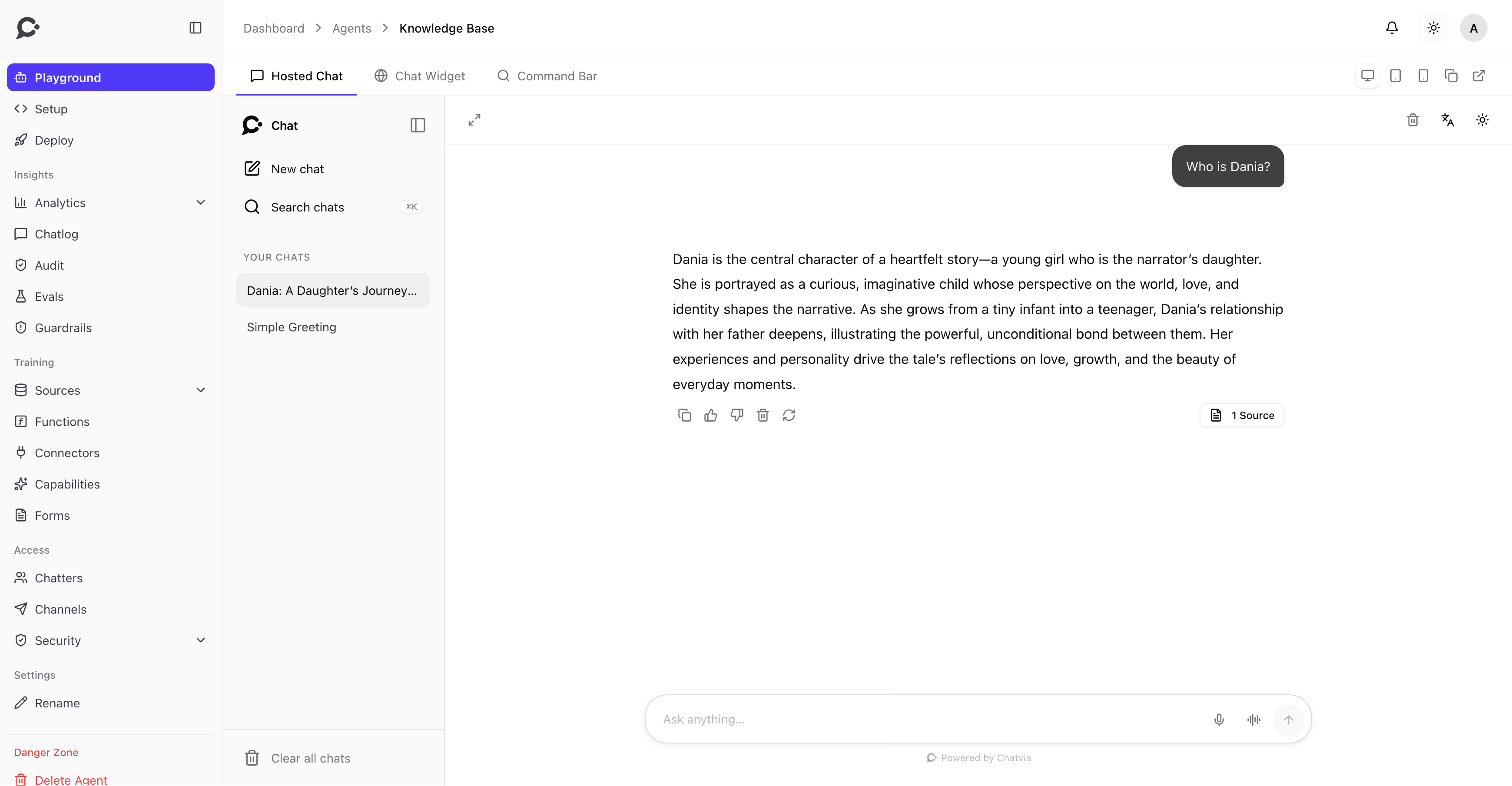
What your team can do here
- Chat with the agent exactly as a chatter would. The Playground shows the real surface in a frame.
- Preview each surface: switch between Hosted Chat, Chat Widget, and Command Bar to see how the agent renders on each one. The shared Setup (persona, model, starters, branding) applies across all three.
- Check each screen size: switch between Desktop, Tablet, and Mobile.
- Open the preview in a new tab, or copy the agent ID for your embed code.
Why this is useful
The surface preview catches surface-specific issues early. Branding may work in Hosted Chat but feel cramped in the Widget, or starters may read well in the Bar modal but not in a floating bubble.
To see which sources an answer used, open the conversation in Chatlog. If the sources look wrong, your sources need work. If they look right but the response is off, your persona or model needs work.
Reproduce a real conversation
Your team can paste a chatter's exact wording from Chatlog into the Playground and replay the question against a different model or a tweaked persona, without losing the original conversation.
Conversation history
Playground conversations are stored like other chats while the agent stores conversations. In Chatlog, their messages carry a Playground label, so you can tell tests from real traffic. The Unanswered filter leaves them out.
Visibility
Only teammates with access to the agent can open the Playground. Chatters (signed in via identity verification) cannot. It's strictly a dashboard tool for the workspace.