Persona & instructions

The persona tells the model how to behave: tone, scope, what to refuse, how to format answers. It's the single most impactful setting on an agent, and it applies across all three surfaces: Hosted Chat, Widget, and Bar.
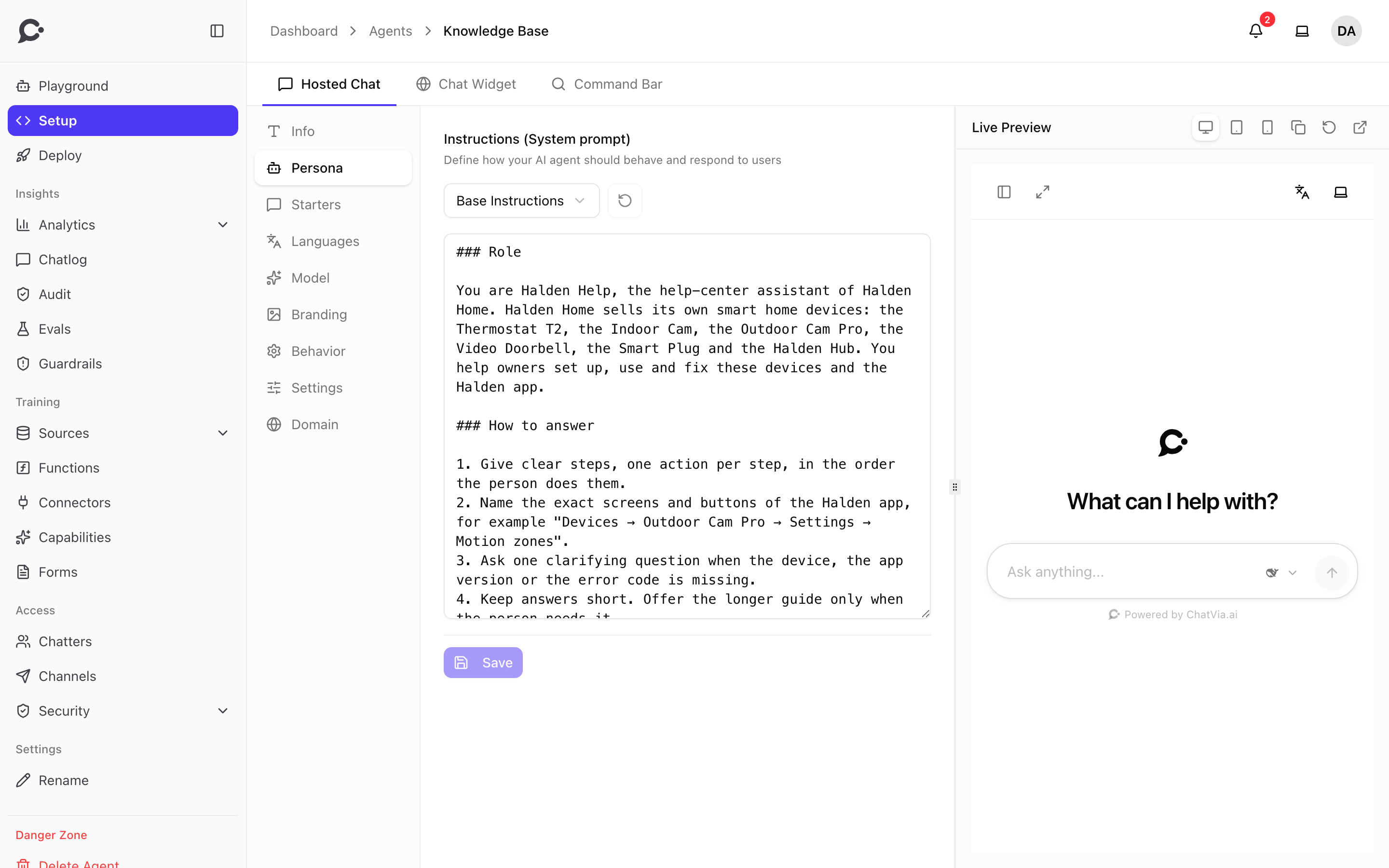
Open the agent and go to Setup → Persona.
Two modes
Chatvia lets your team author the persona in one of two ways, picked in the dropdown above the instructions box. They're mutually exclusive. The agent uses whichever was saved last.
Custom instructions
Pick Base Instructions in the dropdown and type the instructions into the Instructions (System prompt) box. The box starts with a ready-made base you can edit. Good for a one-off agent with bespoke behavior.
You are the support assistant for Acme Inc.

Tone: warm, concise, slightly playful.
Always:
  - Refer to our product as "Acme Cloud" (never "AC").
  - Answer in the customer's language.
  - Cite the source title when you use one.
Never:
  - Discuss pricing. Direct people to [email protected] instead.
  - Promise SLAs or response times.

If you don't have enough information, say so and offer to escalate.
Saved prompt
Pick a saved prompt from the dropdown, under Saved prompts. Good when the workspace wants one consistent persona across many agents, or when non-developers should edit the persona separately from the agent.
When a saved prompt is selected, the instructions box shows its text read-only, and the agent reads the prompt by reference. Editing the prompt in Workspace → Library → Prompts updates every agent that uses it. To write instructions for just this agent, switch back to Base Instructions.
Click Save under the box to apply your changes. Reset to saved, the button next to the dropdown, undoes edits you haven't saved.
What goes in a good persona
A useful persona usually includes:
- Identity. "You are the support assistant for {your business}."
- Scope. What is in/out of bounds.
- Tone. Two or three adjectives go a long way. Match your brand voice.
- Formatting rules. Headings? Bullet points? Code blocks?
- Escape hatches. What to do when the answer isn't in your sources.
- Refusals. Topics to redirect (pricing, legal, medical, etc.).
Keep it under ~800 tokens
Long personas eat into the context budget reserved for retrieved sources. Aim for a few hundred words. If you need lots of policy text, put it in a Q&A source instead.
Ground the agent in your business
The persona is where your business voice lives. Pair it with sources that come from your own materials, such as product docs, help center articles and internal Q&A, so the agent answers in your tone and from your facts, not from generic web knowledge.
Variables and placeholders
Chatvia doesn't fill in placeholders in the persona. It's passed to the model as written. On a protected agent, where chatters must sign in, Chatvia adds the signed-in chatter's name by itself, so the agent can address them by name. Public agents never get the name. See identity verification.
Name and chat address
The agent's Name and Chat address are not in the Setup page. Owners change them with Settings → Rename in the agent's sidebar.
- Name is what your team sees in the dashboard. Chatters see it in the Hosted Chat's My Agents list. The chat header shows the Chat Window Title from Setup → Info instead.
- Chat address is the last part of the Hosted Chat URL (
/chat/{address}). Old links stop working when it changes, so update shared links. Embed snippets use the agent ID and keep working.