Audit log

Some agents do more than answer. With functions and MCP connectors they can look up an order, open a ticket or send an email. The Audit log is the record of every one of those actions: which tool the agent called, with what details, what came back, and who was chatting at the time.
Use it when you need to know what the agent actually did. For example, a customer says "your bot cancelled my order". Filter the log by the shop connector and see the exact call, the order number it used, and whether the customer approved it.
Open an agent and click Audit in the sidebar, under Insights.
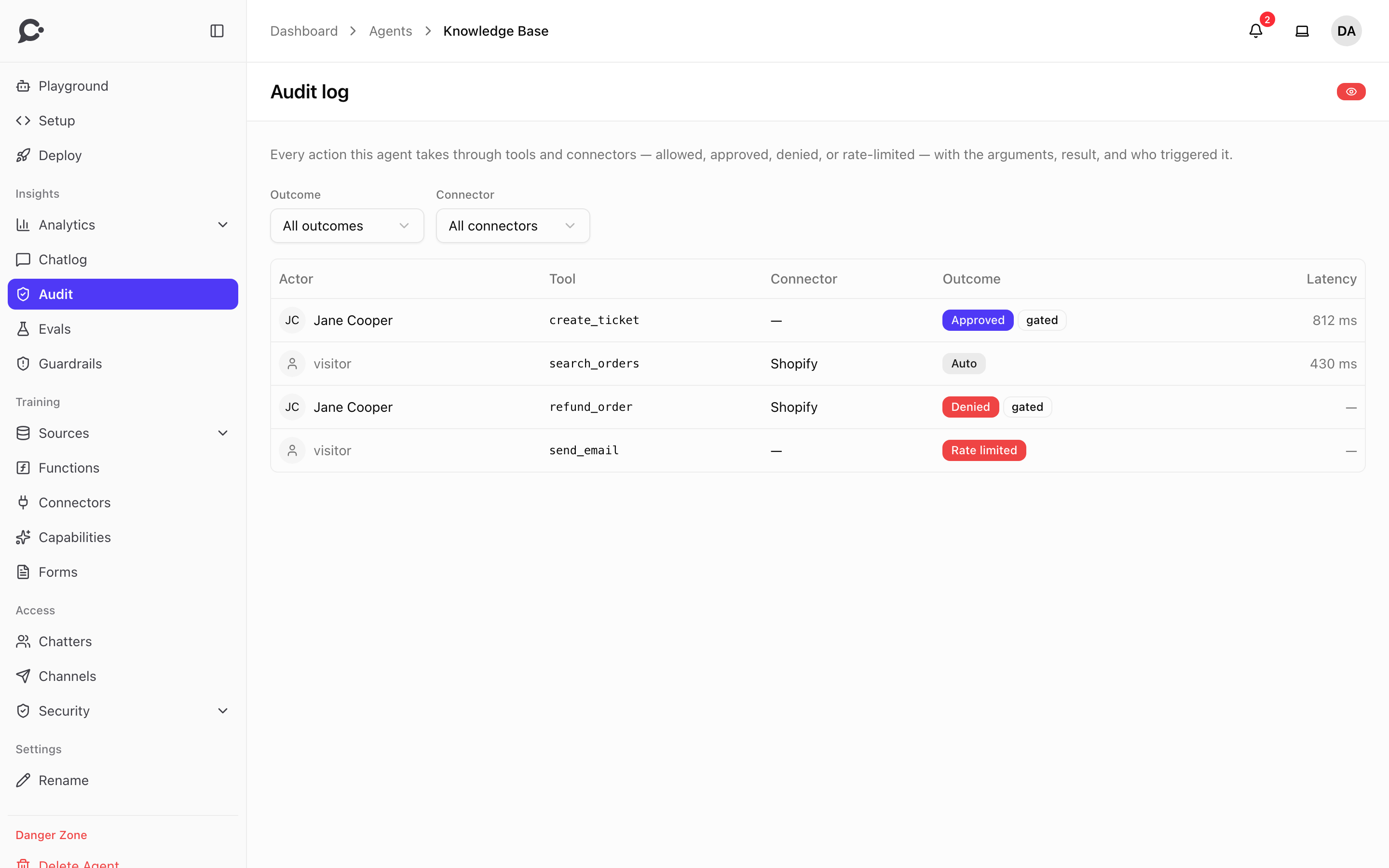
What each row shows
| Column | What it shows |
|---|---|
| Actor | The signed-in chatter or teammate who was chatting, or visitor for an anonymous visitor. |
| Tool | The name of the tool the agent called, for example create_ticket. |
| Connector | The connector the tool belongs to. Empty for a function. |
| Outcome | How the call ended. See below. |
| Latency | How long the tool took to answer, in milliseconds. |
The outcomes are:
| Outcome | Meaning |
|---|---|
| Auto | The tool ran without anyone having to approve it. |
| Approved | The tool needed approval, and the chatter clicked Approve before it ran. |
| Denied | The tool needed approval, and the chatter clicked Deny. It never ran. |
| Rate limited | The tool was called too often, so it was stopped. It never ran. The admin sets these limits in Settings → Security. |
| Not offered | The agent asked for a tool it was not given on that turn, for example a made-up name. It never ran. |
A gated label next to the outcome means a person had to decide. You choose which tools need approval: Require approval on a function, and the tool permissions on a connector.
See the details of a call
Click a row to open it. You see:
- Arguments: the details the agent sent to the tool, like an order number. Very long arguments are cut, and only the start is shown.
- Result: what the tool sent back. Switch between Preview and Markdown.
- Conversation and Trace: links to the chat in the chat log, and to the AI calls behind the reply (a trace).
- Spoken approval: in a voice call, what the visitor said when they approved out loud.
Secrets such as passwords and tokens are removed before a call is written to the log.
Filters
- Outcome: show only one outcome, for example Denied to see what chatters refused.
- Connector: show only one connector's tools.
The log has no page count. Use Previous and Next to move through it.
Good to know
- Chatvia's own features from Capabilities, like charts and forms, are not logged here.
- The admin sets how long calls are kept, 90 days by default, with Days to keep the tool-call log in Settings → Security.
- The log is read-only. You cannot edit or delete a row.
- Seeing the log needs the View audit log permission. See Teams & roles.