Splitting settings

When a visitor asks your agent a question, the agent doesn't read your whole 80-page manual. That would be slow and expensive, and the answer would get lost in it. Instead, Chatvia cuts every source into small parts of a few paragraphs, called chunks, like cutting a book into index cards. Search then finds the few cards that answer the question, and only those go to the agent. This page decides how the text is cut: how big each card is, and where the cuts fall. Open it in Settings → Splitting.
The defaults suit most agents. You can leave this page alone unless search keeps finding parts that are too long, too short or cut in the wrong place. See Split the text into chunks for why it matters.
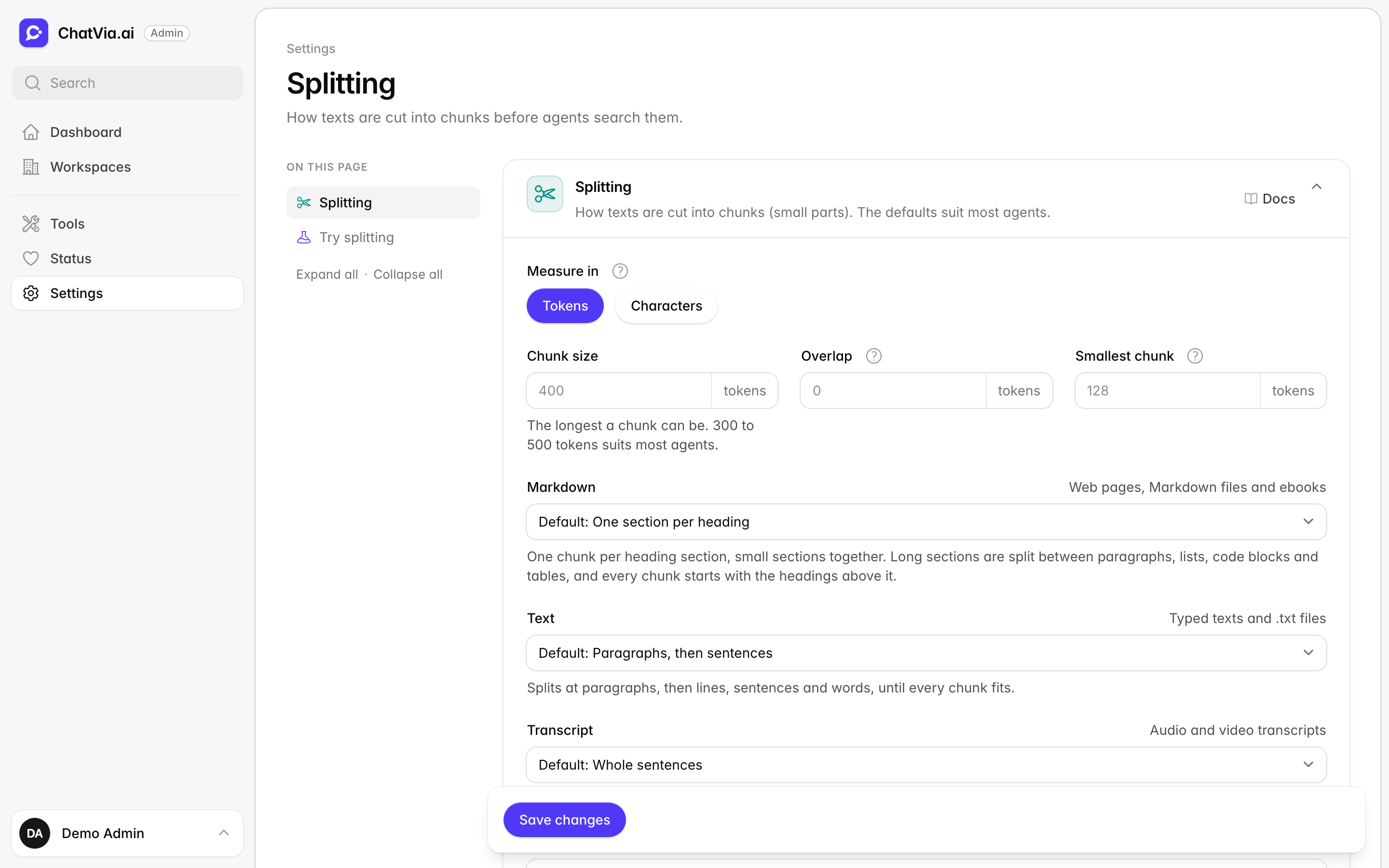
A change applies to sources the next time they are trained. Sources that are already trained keep their chunks until then.
Splitting
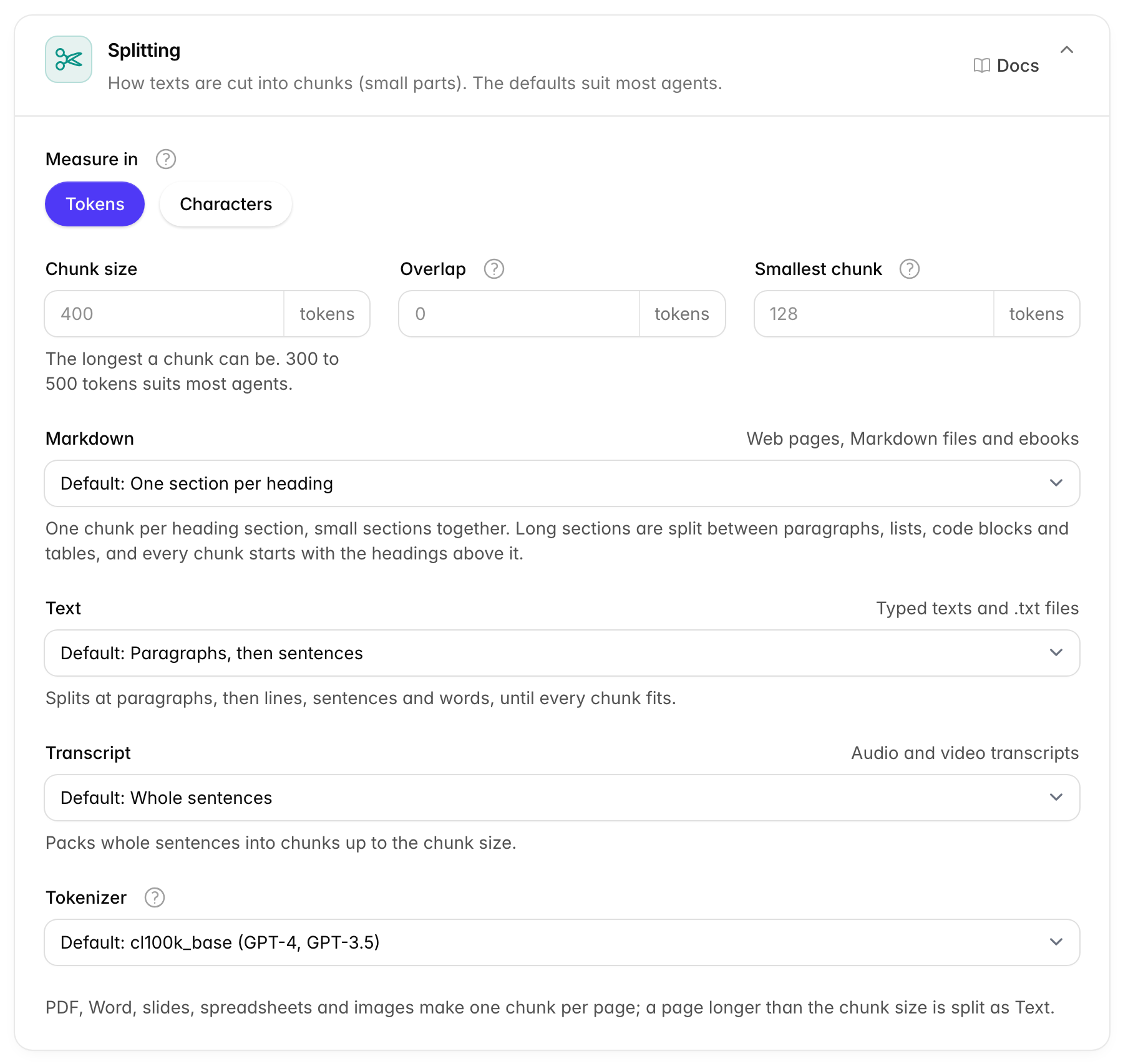
This card sets the size of the chunks and how each kind of text is cut. Size matters because each chunk is a unit the agent either gets or doesn't. If a chunk is too big, the agent gets a lot of text it doesn't need. If it is too small, an answer can be cut in half, such as a return policy split from its exceptions. Good cuts fall between topics, so each chunk makes sense on its own.
Size
Sizes are measured in tokens or in characters. A token is the small piece of text AI models read, often part of a word. AI services count and charge by tokens, which is why it is the default unit.
| Option | What it does | Default |
|---|---|---|
| Measure in | The unit of the three sizes below. Tokens are the word pieces AI models read, about three quarters of an English word. Characters are single letters, which are easier to picture. | Tokens |
| Chunk size | The longest a chunk can be. 300 to 500 tokens (1,200 to 2,000 characters) suits most agents. From 50 to 8,000 tokens, or 200 to 32,000 characters. | 400 tokens (1,600 characters) |
| Overlap | Repeats the end of each chunk at the start of the next one. Most texts need none. It must be smaller than the chunk size. | 0 |
| Smallest chunk | If the last chunk of a text is shorter than this, it takes some text from the one before, so no tiny chunk is left at the end. 0 turns this off. At most half the chunk size. | 128 tokens (512 characters) |
For a sense of size: 400 tokens is about 300 English words, roughly a page of a paperback.
When you switch Measure in, the limits and the defaults follow the new unit. Bigger chunks give the agent more text around each answer, but each answer costs more and search gets less precise. Smaller chunks find exact facts better, but can lose the text around them.
How each kind of content is split
Each kind of content has its own way to split, because its structure decides where a chunk should end. A help page with headings is best cut at its headings. A video transcript has no headings, so it is best cut between sentences. Each field lists only the ways that suit its kind, and says under it what the chosen way does.
| Field | Used for | Choices |
|---|---|---|
| Markdown | Web pages, Markdown files and ebooks | One section per heading (default), Paragraphs, then sentences |
| Text | Typed texts and .txt files | Paragraphs, then sentences (default), Whole sentences, Fixed size |
| Transcript | Audio and video transcripts | Whole sentences (default), Paragraphs, then sentences, Fixed size |
Markdown is a simple way of writing text with headings and lists. Chatvia turns web pages into it, so they keep their headings.
What the choices do:
- One section per heading: one chunk per heading section, with small sections put together. Long sections are split between paragraphs, lists, code blocks and tables, and every chunk starts with the headings above it.
- Paragraphs, then sentences: splits at paragraphs, then lines, sentences and words, until every chunk fits.
- Whole sentences: packs whole sentences into chunks up to the chunk size.
- Fixed size: cuts the text every chunk size, whatever its structure.
PDF, Word, slides, spreadsheets and images are not split this way. They make one chunk per page, and a page longer than the chunk size is split as Text.
Tokenizer
A tokenizer is the rule book that decides where one token ends and the next begins. Different AI models cut text into tokens a little differently. Tokenizer decides how tokens are counted, for the chunk size and for every saved chunk. The default, cl100k_base, suits most models. The others are o200k_base (GPT-4o and newer), p50k_base and r50k_base, for older OpenAI models.
When to change it. Leave the defaults first and test with Try splitting below. Make chunks bigger if answers often miss the text around a fact. Make them smaller if your sources are lists of short, separate facts, such as a price list. You can leave the tokenizer as it is.
Try splitting
This card lets you see how a text would be cut, before you change anything for real. Paste one of your own documents, press a button, and look at the chunks it makes. It uses the options on the page as they are now, even before you save them. Nothing is saved.
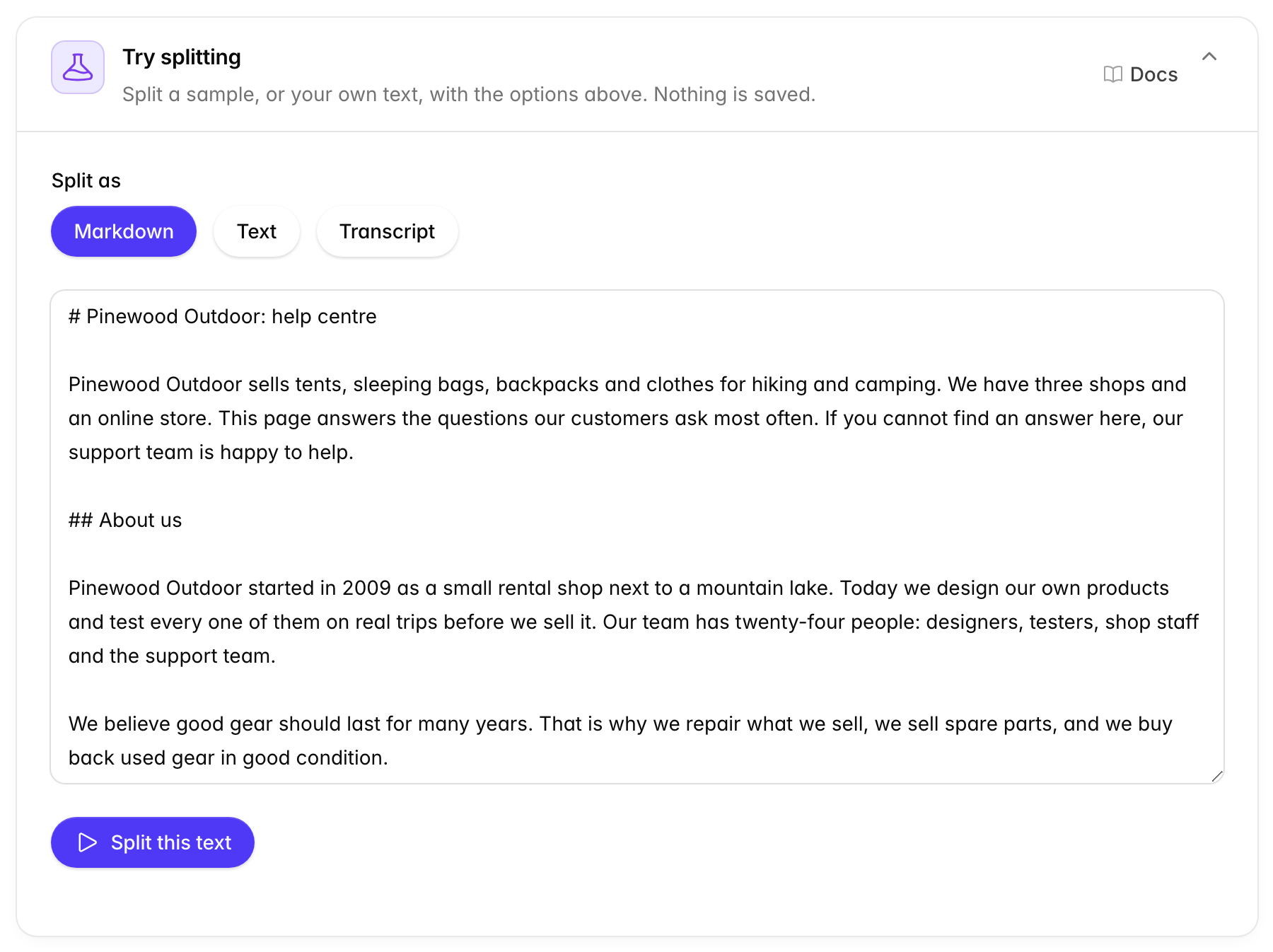
- Change the options in the Splitting card. You don't need to save.
- Under Split as, pick Markdown, Text or Transcript. The box fills with a sample of that kind: a help centre in Markdown, a typed policy, or a video transcript.
- Keep the sample, or paste your own text in Preview text.
- Press Split this text.
The result says how many chunks the text makes, which way it was split, and the smallest, largest and average chunk size. The first 12 chunks show as cards, each with its size. Press View whole chunk to read one in full. When the options look right, press Save changes.
When to use it. Every time you change the Splitting card. Check that each chunk reads well on its own, and that no answer is cut in two.