Video sources

A video source is a video your agent learns from. Chatvia takes the sound out of the video, turns the speech into text (a transcript), and the agent answers from that text.
Use it when your know-how lives in recorded talks. For example, a software company has a library of recorded onboarding sessions and product demos. It uploads them, and new customers can ask the agent "How do I export my invoices?" and get the steps the trainer explained in the demo.
Before you start
Video needs a speech to text service, a service that listens to a recording and writes down what is said. The admin of your Chatvia server picks it in AI models and turns video on in Knowledge settings. Until then, Video is missing from the Sources menu, unless the agent already has video sources.
A teammate needs two permissions in their role: Train Video to open the page, and Train Files to upload. See Teams & roles.
Upload a video
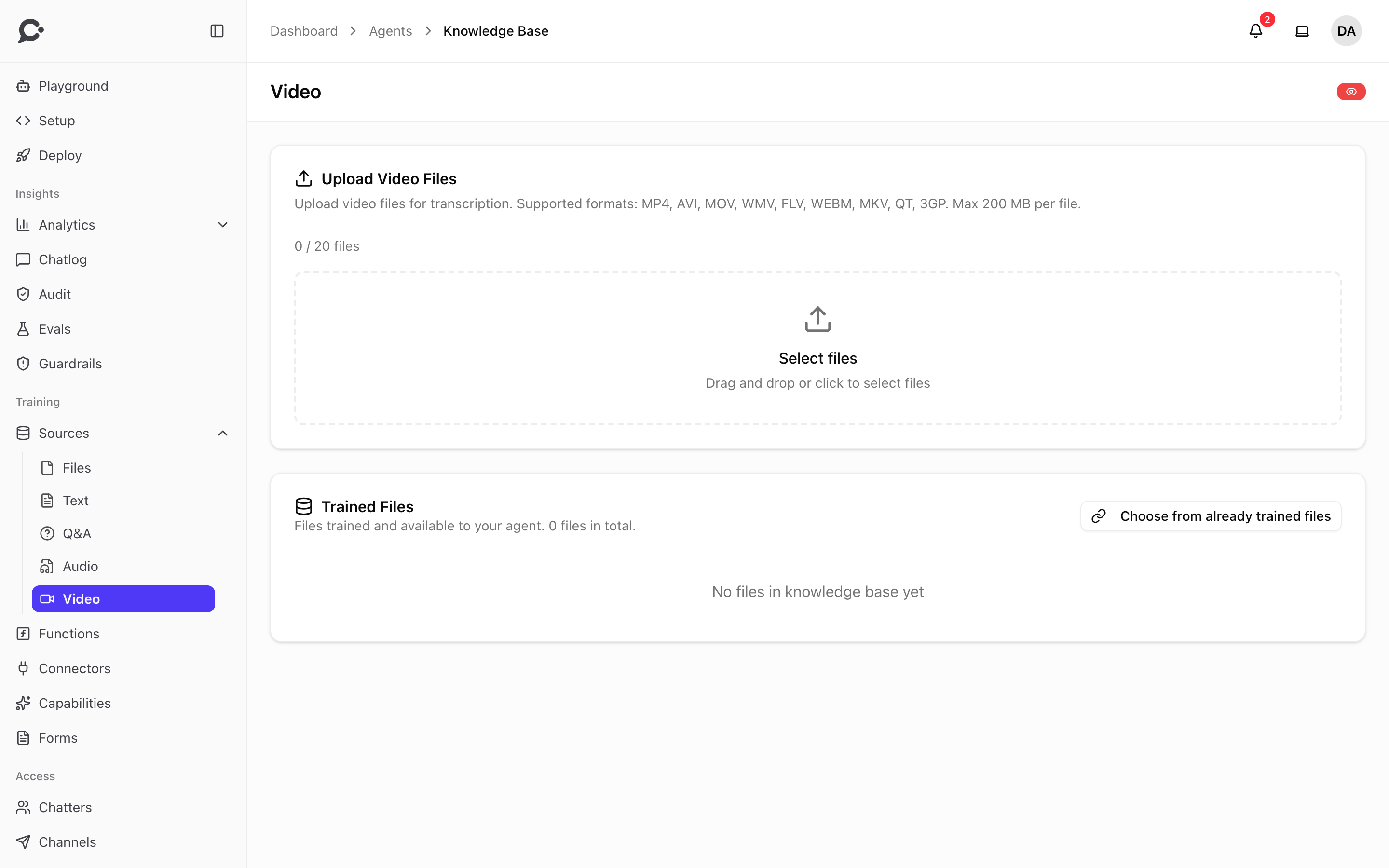
- Open the agent and click Sources under Training in its sidebar. Then click Video.
- Drag your files onto Select files under Upload Video Files, or click it to pick them. You can pick up to 20 files at a time.
- Wait for each upload to finish. The files then wait under Ready to Train, with their total length in minutes.
- Click Train.
Each file moves to Trained Files when it is done, with the status "Ready to chat with".
Supported formats and limits
| Formats | MP4, AVI, MOV, WMV, FLV, WEBM, MKV, QT, 3GP |
| Size | Up to 200 MB per file in the uploader |
| Files at once | Up to 20 |
Only the sound is used. Chatvia does not look at the picture, so text on slides or on screen is not learned. If the slides matter, upload them as a file source too.
The speech to text service only takes some formats, and files up to a certain size. Chatvia turns any other video into a small MP3 first, with a program called ffmpeg. On a server without ffmpeg, those videos are refused at upload with a message such as "This recording is too large to turn into text on this server. Upload a shorter recording." Ask the person who runs your Chatvia server to install ffmpeg.
What happens during training
Training is the same as for audio: Chatvia makes the transcript, splits it into short blocks of whole sentences, and indexes them. The transcript is kept, so training again after a failure does not pay for a new one.
Manage video sources
In Trained Files, each video has View file summary (when the admin turned on AI enhancement), Replace with a new version and Delete. Choose from already trained files adds a video your workspace already trained for another agent. These work as described for file sources.
Good to know
- A long video with little speech, like a screen recording without a voice, gives the agent almost nothing to learn. Training fails when the transcript is empty.
- If the video is on YouTube and you have the file, upload it here.
- If the video has a written version, such as a blog post or a help article, that is often a better source. Text is cheaper to train and has no transcription errors.